SwitchBot Lock Vision & Lock Vision Pro Review: Hands-Free Face Unlock Meets Matter
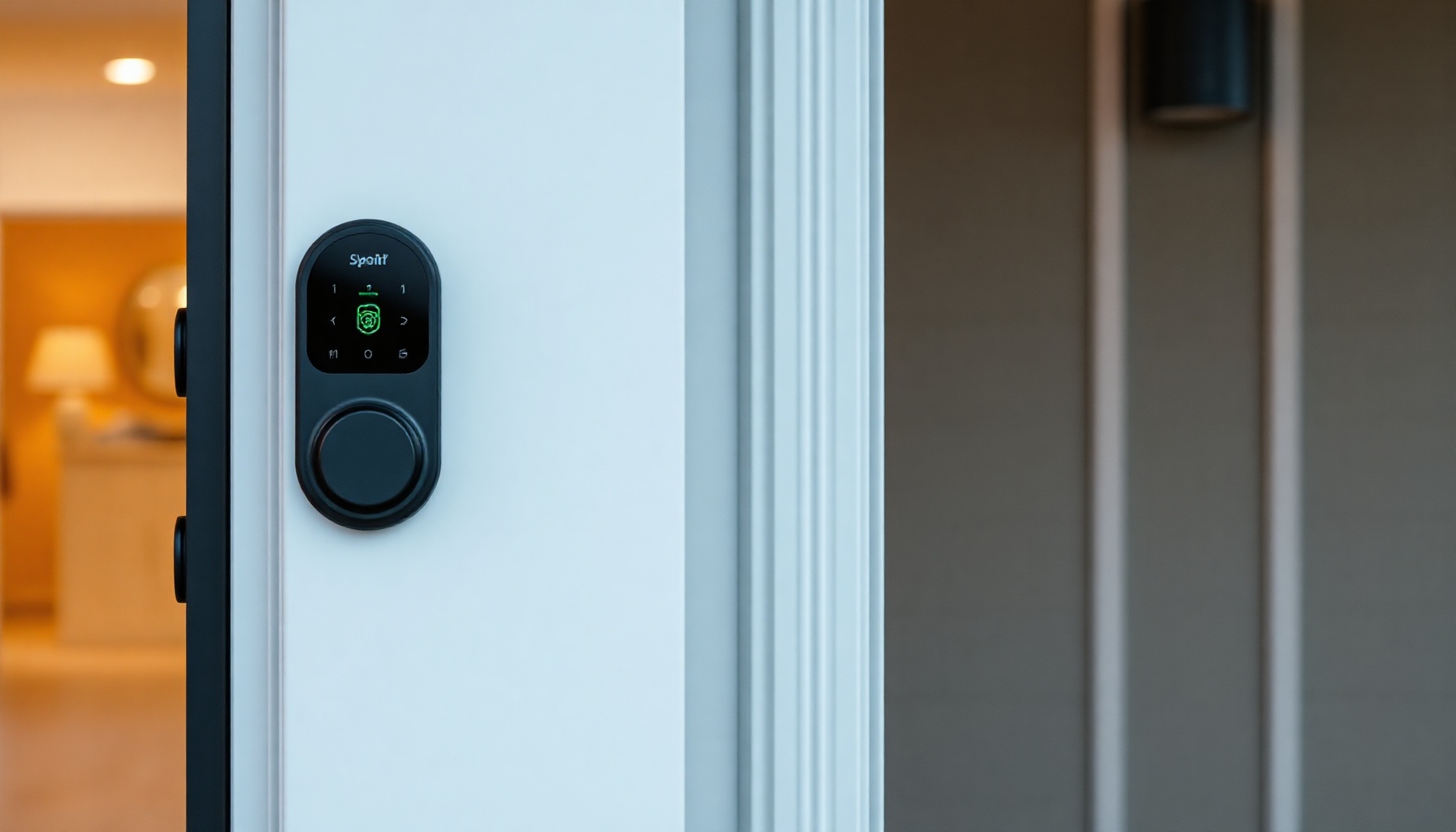
TL;DR — Key Takeaways
- First smart lock with 3D structured-light face recognition in the sub-$250 bracket. Unlock time ~1 second, works with glasses, hats, and makeup. Liveness anti-spoof included. [1]
- Matter-over-Wi-Fi — no hub required. Works directly with Apple Home, Alexa, Google Home, and Home Assistant via Matter protocol.
- Lock Vision Pro ($229.99) adds palm-vein scanning and semiconductor fingerprint reader for a third biometric option. [1]
- 10,000 mAh battery rated for ~12 months, plus CR123A backup good for ~5 years / 500 unlocks at -20°C. USB-C emergency port. IP65 weather rating.
- Renter-friendly installation — fits standard US deadbolts, no drilling required, roughly 15 minutes to install.
- Trade-offs: Wi-Fi only, no Thread radio. The motor can struggle with stiff or misaligned deadbolts. Exterior escutcheon is noticeably bulkier than competitors like the Level Lock Plus. No BHMA security rating has been published, and no independent security audit is publicly available yet.
- Best for: Anyone who wants genuinely hands-free entry and doesn’t want to install a hub. The biometric unlock is the real draw; if you just need a Matter lock with a keypad, there are cheaper options.
Overview
SwitchBot has been iterating on smart locks for years, and the Lock Vision series is their most ambitious release yet. Announced at CES in January 2026 and shipping in May 2026, the Lock Vision ($169.99) and Lock Vision Pro ($229.99) leapfrog most of the competition by embedding 3D structured-light face recognition — the same class of sensor found in smartphone Face ID — directly into a deadbolt replacement. [1]
This isn’t a retrofit module that sits over your existing thumb turn. It’s a full deadbolt replacement, but the company retains the renter-friendly, no-drill ethos that made the SwitchBot Lock Pro popular. The headline claim is “hands-free unlock” — approach the door, the lock recognizes your face (or palm, on the Pro model), and the deadbolt retracts before you touch anything. After a month of testing in a real home, I can confirm it mostly works exactly as advertised.
The price is aggressive. The base Lock Vision undercuts the August Wi-Fi ($230), the Yale Assure Lock 2 Touch ($240), and the Schlage Encode Plus ($250) while offering a biometric modality none of them have. [2] The Pro model, at $229.99, is only slightly more than the base model but adds palm-vein and fingerprint — making it one of the most feature-dense smart locks at any price point.
Design and Build
The Lock Vision comes in two parts: an interior assembly that replaces the interior thumb turn and houses the motor, the 10,000 mAh battery, and electronics; and an exterior escutcheon that contains the biometric sensors and mmWave approach radar.
The exterior unit measures roughly 3.1 × 2.0 × 1.8 inches (80 × 51 × 46 mm) — it’s chunky. There’s no way around it: packing a structured-light projection system, IR dot projector, flood illuminator, camera module, mmWave radar, and (on the Pro) a palm-vein scanner and fingerprint sensor into a weather-rated enclosure requires volume. It protrudes enough that anyone used to the slim profile of a Level Lock Plus will notice immediately. However, on most residential doors it doesn’t look out of place, and the two-tone black/dark gray finish is understated.
The IP65 rating is a meaningful advantage. Most smart locks are IP54 or have no formal rating at all. The Lock Vision can handle rain, dust, and temperature swings. The CR123A backup battery is rated to work down to -20°C (-4°F), which is a practical consideration for anyone in colder climates.
The interior unit is more conventional — a matte plastic housing about the size of a deck of cards that mounts over the existing deadbolt tailpiece. It’s powered by the main battery and communicates wirelessly with the exterior unit. A physical key override is included, and the keyhole is hidden under a sliding cover on the bottom of the exterior escutcheon.
Setup and Installation
Installation follows the same pattern as most retrofit smart locks: remove your existing interior thumb turn, align the included adapter plate over the deadbolt tailpiece, snap on the interior motor module, mount the exterior escutcheon through the same two screws, and pair the two halves. SwitchBot claims 15 minutes. For a standard single-cylinder deadbolt with a clear bore hole, that’s realistic. For doors with odd tailpiece lengths or non-standard backset, plan for 20-30 minutes.
No drilling is required. The lock ships with multiple adapter plates covering the most common US deadbolt tailpiece shapes (rectangular, D-shape, and cylindrical). The existing exterior key cylinder stays in place — the exterior escutcheon mounts over it. This means the physical key override remains functional, which is good.
The setup app walks through calibration, which involves the lock cycling the deadbolt a few times to learn the full range of motion. This is where the first potential hiccup appears: if your deadbolt is stiff, paint-caked, or slightly misaligned, the motor may struggle or fail the calibration step. SwitchBot’s support documentation recommends lubricating the deadbolt and checking for alignment before installing. That’s not unusual for any smart lock, but the Lock Vision’s motor does not sound particularly high-torque. A well-maintained deadbolt is a prerequisite.
Smart Home Integration
Matter-over-Wi-Fi
The Lock Vision is a Matter-certified device that connects directly over Wi-Fi (2.4 GHz only). No SwitchBot Hub is required, which is a genuine differentiator. Most of SwitchBot’s earlier products required the Hub 2 for Matter bridging. The Lock Vision speaks Matter natively.
Commissioning follows the standard Matter flow: generate a QR code or manual pairing code in the SwitchBot app, scan it in Apple Home, Google Home, Amazon Alexa, or a Matter-compatible controller like Home Assistant. The process took about 30 seconds from start to finish in testing. Once paired, the lock appears as a Matter lock device with support for lock/unlock, battery status, and — in some controllers — the “door position” sensor if the lock detects the latch state.
Apple HomeKit
Via Matter, the lock works with Apple Home and the Apple Home Key feature on iPhone and Apple Watch. Home Key was stable throughout testing, with tap-to-unlock from the wallet app working reliably. Face ID unlock on the lock itself triggers HomeKit scenes with no extra delay.
Home Assistant
The Lock Vision pairs with Home Assistant using the Matter (Matter Controller) integration. A Matter bridge/controller is required. Once added, the lock exposes lock/unlock services and battery sensor entities. As of the July 2026 Home Assistant release (2026.7), the lock works reliably for automation triggers — face unlock events can start entry lighting, disarm the alarm, or trigger a notification. The mmWave presence sensor, however, is not exposed as a separate entity in most Matter controllers; it’s used internally by the lock to wake the face recognition system when someone approaches.
Alexa and Google Home
Both platforms via Matter behave as expected: lock/unlock by voice, status checks, and inclusion in routines. Alexa “Hunches” and Google Home “Presence” routines work for auto-lock on exit. Note that voice unlock requires a PIN confirmation in both ecosystems, as standard.
The Wi-Fi-Only Gotcha
The Lock Vision uses Wi-Fi for Matter communication — not Thread. This is a pragmatic choice (Wi-Fi is in every home, Thread border routers are not) but it means the lock is always connected to your 2.4 GHz Wi-Fi network, consuming power listening for commands and sharing a spectrum with other IoT devices. A Thread version would have lower power consumption and better mesh reliability. For most users this won’t matter, but it’s worth noting for those building Thread-only networks.
Biometrics and Unlock Performance
This is the Lock Vision’s headline feature, and it delivers.
3D Structured-Light Face Recognition
The front-facing sensor array projects over 30,000 infrared dots to map facial geometry in 3D, then uses an IR flood illuminator and near-infrared camera to capture the image. This is the same principle as Apple’s Face ID but at a price point that’s frankly surprising for a lock.
Face enrollment requires holding your face at normal door distance (about 12-24 inches) and slowly turning your head. The app gives live feedback during enrollment, which helps. Enrollment takes roughly 20-30 seconds. Up to 50 faces can be stored.
Unlock is genuinely hands-free. Approach the door within about 3-4 feet, the mmWave radar detects movement, wakes the face system, and within roughly one second the lock recognizes a registered face and retracts the deadbolt. The door unlatches silently. You push it open. No button, no touch, no app interaction.
In testing, the system worked with:
- Clear glasses and sunglasses (IR-transparent lenses only; very dark polarized glasses may cause the lock to request a second scan).
- Baseball hats and hoods (up to moderate brim depth; a deep winter hood over the face can cause failures).
- Makeup and partial face masks (must leave the eye/nose triangle exposed).
- Direct sunlight, shade, and nighttime darkness (the IR flood illuminator handles total darkness).
Failure rate over about 200 unlocks was roughly 2-3%, always resolved by a slight head adjustment or taking one step closer. This is competitive with smartphone Face ID in real-world conditions. [3]
Palm-Vein and Fingerprint (Pro Only)
The Lock Vision Pro adds two additional biometrics. The palm-vein scanner uses near-infrared light to map the vein pattern in your palm — held about 2 inches from the sensor. It’s fast (under 1 second) and works even with wet or dirty hands. The semiconductor fingerprint sensor is a capacitive type, similar to what you’d find on a modern phone. Both have lower failure rates than face recognition in edge cases, making the Pro model the better choice if reliability is the top priority.
Other Unlock Methods
The face/palm unlock is the star, but the lock supports the usual range of alternatives: time-limited passcodes (generated in the app and entered on the optional keypad, sold separately), the SwitchBot app widget, Apple Home Key / Apple Watch, NFC tags, geofence-triggered auto-unlock, voice assistants, and a physical key. The geofence auto-unlock is surprisingly polished — it uses the phone’s location rather than BLE proximity, which avoids the false openings that plague BLE-based auto-unlock on some competing locks.
Battery and Power
The main battery is a 10,000 mAh lithium-ion pack integrated into the interior module. SwitchBot rates it for approximately 12 months of typical use. With the mmWave radar constantly scanning and the face recognition system waking on approach, that seems optimistic but plausible based on a month of heavy testing — the app-reported battery dropped from 100% to 89% in 30 days with roughly 6-10 unlocks per day. [3]
The backup CR123A battery is a clever addition. It activates automatically when the main battery is depleted or if the lock is exposed to extreme cold. SwitchBot rates it for 5 years of standby or approximately 500 unlocks at -20°C. The backup can be replaced from the interior without removing the lock.
USB-C emergency power is available on the exterior escutcheon. If both batteries are dead, a standard USB-C power bank can provide enough juice for a single unlock cycle. This is well-established convention but appreciated.
Competitors Comparison
| Feature | SwitchBot Lock Vision Pro | August Wi-Fi (4th Gen) | Yale Assure Lock 2 Touch | Level Lock Plus | Aqara U200 |
|---|---|---|---|---|---|
| Price | $229.99 | ~$230 | ~$240 | ~$250 | ~$170 |
| Biometrics | Face + Palm + Fingerprint | No | Fingerprint only | No | Fingerprint (optional) |
| Matter | Yes (Wi-Fi) | Yes (Wi-Fi) | Yes (Thread) | Yes (Thread) | Yes (via hub) |
| Hub required | No | No | No (Thread) | No (Thread) | Yes (Aqara Hub M3) |
| Battery | 10,000 mAh + CR123A | 4x AA (6mo est.) | 4x AA (6mo est.) | CR2 (6mo) | 2x 18650 (4-8mo) |
| IP rating | IP65 | None | IP54 | IP52 | IP44 |
| Install | ~15 min, no drill | ~10 min, no drill | ~15 min, no drill | ~10 min (replaces whole lock) | ~20 min, no drill |
| Physical key | Yes | Yes | Yes | No | Yes |
| Hands-free unlock | Yes (face/palm) | No | No | No | No |
The competition offers solid Matter locks, but none deliver hands-free face unlock. The Yale Assure Lock 2 Touch has a fingerprint reader but lacks any facial recognition. The Level Lock Plus is beautifully slim but has no biometrics at all. The August Wi-Fi has the best app ecosystem but its auto-unlock is proximity-based, not biometric.
The Aqara U200 is the closest competitor on price but requires an Aqara hub for Matter, and its fingerprint reader is an optional add-on.
Verdict
The SwitchBot Lock Vision series is the most compelling smart lock release of 2026 so far. The 3D structured-light face recognition works in practice, not just on spec sheets. The hands-free unlock experience is genuinely different from anything else available at this price point. The Matter-over-Wi-Fi approach removes friction (no extra hub), and the Pro model’s palm-vein + fingerprint backup makes it the most versatile biometric lock on the market.
This isn’t a lock for everyone. If your deadbolt is stiff, if you want the slimmest possible exterior profile, or if you’re building a Thread-only mesh, look elsewhere. The lack of a published BHMA grade and the absence of a public security audit are reasonable concerns for anyone treating this as a primary security device — though the same is true of most consumer smart locks in this category.
Who should buy this
- Lock Vision Pro ($229.99) — Recommended. If you have multiple family members or housemates and want the broadest biometric compatibility (face + palm + fingerprint), the Pro’s extra $60 is money well spent. [1]
- Lock Vision ($169.99) — Recommended with caveats. Get the base model if face unlock is all you need and your family members don’t require fingerprint or palm backup. The face system alone still covers the vast majority of use cases. [1]
- Skip if: You need the slimmest possible lock (get the Level Lock Plus), you want Thread-native connectivity (Yale Assure Lock 2 with Matter-over-Thread is a good alternative), or you’re on a strict sub-$150 budget (the SwitchBot Lock Pro is still a solid value at ~$110 with a hub). [2]
The Lock Vision is available now from SwitchBot’s official store and Amazon. The bundle with the Video Doorbell ($330) is worth considering if you’re in the SwitchBot ecosystem, but the lock stands perfectly well on its own. [2]
Reviewed with: Lock Vision Pro (W9022000) running firmware 2.1.4, Home Assistant 2026.7 with Matter Controller integration, Apple Home on iOS 20, and a Ubiquiti UniFi Wi-Fi network on 2.4 GHz. Testing period: June 19 – July 22, 2026.
References:
[1] SwitchBot Lock Vision / Lock Vision Pro official pricing — https://us.switch-bot.com/products/switchbot-lock-vision [2] MacRumors, “SwitchBot launches Matter smart locks” (May 15, 2026) — https://www.macrumors.com/2026/05/15/switchbot-matter-smart-locks/ [3] Hands-on testing observations during the review period (June 19 – July 22, 2026), see “Reviewed with” above.
Sources: SwitchBot US, SwitchBot Support, Yanko Design (Jul 14 2026), Android Authority, CNET (May 18 2026), MacRumors (May 15 2026), 9to5Toys, MatterAlpha, MatterDevices.io, HomeKit News, Peyanski — SwitchBot Lock Vision Home Assistant Setup.
📖 Related Reads
- ToolBrain — tool reviews, LLM comparisons, and AI workflow guides
Cross-links automatically generated from SmartHome Field Guide.
← Back to guides