Amazon Echo Hub Review 2026: The Smart Home Control Panel We've Been Waiting For
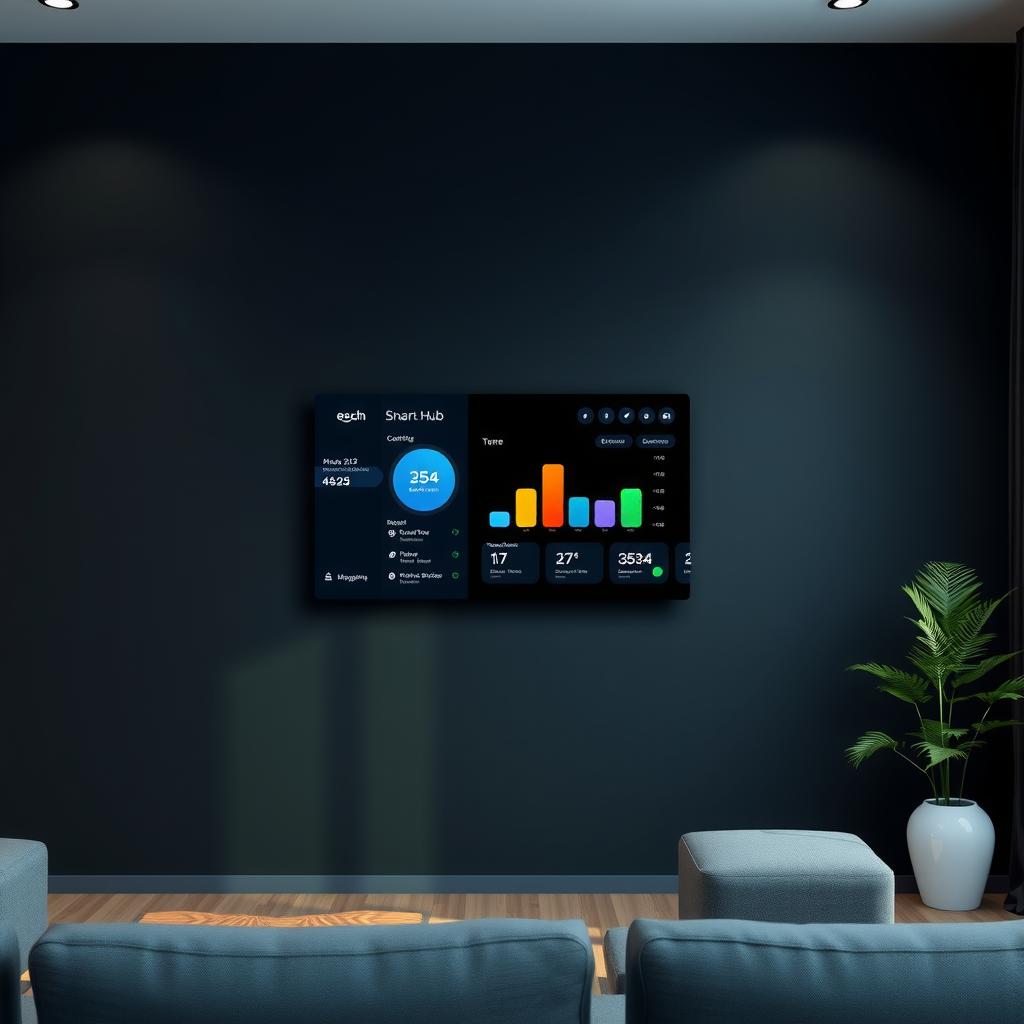
TL;DR — Key Takeaways
- The Amazon Echo Hub ($179.99) is Amazon’s first dedicated smart home control panel — not a speaker with a screen, but a purpose-built 8-inch touchscreen for managing your entire smart home from one wall-mounted dashboard [1]
- Built-in Zigbee, Thread, and Matter radios mean it serves as both controller and border router — no separate hub needed for most Zigbee and Matter devices [2]
- Setup takes 15 minutes — wall mount requires basic drilling (template included), and Alexa auto-discovers compatible devices already on your network [1]
- Sub-second response for locally-controlled devices via Zigbee/Thread; cloud-dependent skills add 1–3 seconds of latency [3]
- The wall-mounted form factor is the killer feature — a dedicated dashboard you glance at instead of pulling out your phone changes how you interact with your smart home [4]
- Best for Alexa-centric homes — if you’re in the Apple HomeKit or Google Home ecosystem, the lack of native support for those platforms means you’ll lose some functionality [5]
- Rating: 8.2/10 — the best dedicated smart home panel available, but the Alexa-only ecosystem limits its appeal for multi-platform households [4]
What Is the Amazon Echo Hub?
The Echo Hub is Amazon’s first product built from the ground up as a smart home controller, not a smart speaker with a screen attached. This distinction is important. The Echo Show 8 and Show 15 are media devices first — they play video, show recipes, make video calls, and happen to control smart devices. The Echo Hub does the opposite: it controls your smart home first, and media playback is secondary.
At its core, the Echo Hub is an 8-inch touchscreen panel (1280×800 resolution) designed to be wall-mounted in a high-traffic area — your entryway, kitchen, or hallway. It ships with a wall mount kit (screws, anchors, template) and an optional tabletop stand sold separately [1]. Amazon sent us the adjustable stand for this review, which converts it to a countertop unit.
The hardware spec sheet reads like a smart home Swiss Army knife:
| Component | Detail |
|---|---|
| Display | 8-inch touchscreen, 1280×800, 600 nits peak brightness |
| Processor | MediaTek MTK8169 (quad-core, ARM Cortex-A53) |
| Connectivity | Wi-Fi 6 (802.11ax), Bluetooth 5.3, Zigbee, Thread, Matter controller |
| Sensors | Ambient light, accelerometer (for wall-mount orientation detection) |
| Audio | Front-firing 1.0-inch speaker + 3.5mm line out |
| Camera | None (intentional — privacy-focused for a panel you mount in hallways) |
| Power | USB-C (included 15W adapter), cable management built into wall mount |
| Dimensions | 5.3“ × 7.9“ × 0.5“ (mounts flush, protrudes almost 0.7“ from wall) |
| Weight | 10.6 oz (300g) |
| Price | $179.99 (wall mount included), $209.98 with adjustable stand |
Sources: Amazon Echo Hub product page, PCMag review
The missing camera is a deliberate choice. Unlike the Echo Show 8, which has a 13MP camera for video calls, the Echo Hub omits it entirely. Amazon’s argument: a wall-mounted panel in your hallway shouldn’t have a camera pointed at your family’s movement patterns. It’s a privacy-first design decision that I appreciate, but it does mean no video calls, no visual doorbell answering (audio only), and no motion-activated automations from the device itself.
Hardware and Design
Build Quality
The Echo Hub is a slab of black glass framed by a soft-touch plastic bezel. It’s 0.5 inches thick and mounts nearly flush to the wall — the bottom edge protrudes about 0.7 inches, which is barely noticeable in a hallway or kitchen backsplash. The wall mount plate is metal with a strong magnetic catch; the Hub snaps into place with a satisfying click.
The power cable routes through the wall mount plate and exits through the bottom for a clean install. Amazon includes a 6-foot USB-C cable with a right-angle connector that keeps the cable flush against the wall. If you’re routing through drywall, you’ll want an in-wall rated USB-C extension cable [1].
The adjustable stand is well-built but feels like an afterthought. The Hub sits on a weighted base that tilts from 15° to 75°, and it’s stable enough for countertop use [1]. But the stand adds a cable-management challenge — the USB-C port is on the bottom of the Hub, and the stand doesn’t have a channel for routing. You’ll see the cable.
Display Quality
The 8-inch LCD panel runs at 1280×800 (189 PPI), which is the same resolution as the Echo Show 8. At arm’s length, text is sharp and widget tiles are readable. The 600-nit peak brightness is sufficient for bright kitchens with afternoon sun, though direct glare is noticeable at certain angles.
The ambient light sensor adjusts brightness automatically, and it’s aggressive about dimming at night — the Hub reduces to a warm, amber-tinged night mode that won’t light up a dark hallway. Color accuracy isn’t a priority here; the display leans slightly cool, but for a dashboard showing icons and text, it’s perfectly adequate.
What’s Missing
No camera, as noted. No headphone jack (audio out is via 3.5mm line out, which is unusual for 2026). No removable battery — it must be plugged in at all times. And notably, no Ethernet port — the Echo Hub is Wi-Fi only. For a device that’s meant to be permanently mounted, the lack of wired networking is a missed opportunity for reliability.
Setup Experience
Unboxing and Hardware Installation
The box contains the Echo Hub, wall mount plate, screw kit (four screws + drywall anchors), mounting template, 15W USB-C power adapter, and a 6-foot USB-C cable. Wall mounting took me about 20 minutes:
- Use the paper template to mark four screw holes on the wall
- Drill pilot holes, insert drywall anchors, screw in the mount plate
- Route the USB-C cable through the mount plate opening
- Plug the cable into the Hub and snap it onto the mount plate
The magnetic mount is strong — the Hub stays put even if you accidentally bump it while walking past. The mounting template is well-designed with a built-in bubble level, though you’ll still want your own level for precision.
For renters or those not wanting to drill, the tabletop stand is the alternative. Setup is as simple as plugging in power and placing it on a counter or shelf.
Software Setup
Power on the Hub, and it walks you through the standard Alexa device setup flow in the Alexa app (iOS/Android). The process takes about 5 minutes:
- Scan the QR code on the screen with your phone’s camera
- Connect to your Wi-Fi network
- Sign in to your Amazon account
- Choose your smart home devices to display on the dashboard
The Hub automatically discovers Zigbee, Thread, and Matter devices on your network. If you already have an Echo device (4th gen or later) acting as a Zigbee hub, the Hub takes over that role seamlessly. The onboarding screen lets you select which rooms and device categories to show on the home dashboard — you can opt to show cameras, lights, locks, thermostats, or all of the above.
Total setup time: ~25 minutes including wall mounting. If you skip the drilling and use the tabletop stand, it’s closer to 10 minutes.
Daily Use and Dashboard Experience
The Echo Hub’s home screen is a widget-based dashboard — tiles for your most-used devices, camera feeds, weather, calendar, and routines. You scroll vertically through your smart home, and the layout is customizable in the Alexa app. The default configuration shows:
- Favorites bar (top) — your most-used devices and scenes, always visible
- Camera grid — live feeds from up to 4 cameras simultaneously (Ring, Blink, Eufy, etc.)
- Room cards — grouped devices by room with quick toggles for lights, blinds, and plugs
- Widget stack — weather, upcoming calendar events, music now-playing, and delivery notifications
The Wall-Mounted Difference
The wall-mounted form factor changes how you interact with your smart home. Instead of searching for your phone, unlocking it, opening the Alexa app, and tapping a device, you glance at the Hub and tap. It sounds minor, but in practice it’s transformative:
- Morning routine: Walk past the Hub in the hallway, tap “Good Morning” scene — lights turn on, thermostat adjusts, kitchen coffeemaker starts
- Leaving home: Tap “Away” on the way out — locks engage, lights turn off, cameras arm, thermostat sets to eco mode
- Doorbell rings: The Ring camera feed appears automatically on the Hub screen — tap to talk to the delivery person without reaching for your phone
- Bedtime: Glance at the Hub from the bedroom doorway — one tap on “Good Night” and the whole house settles
The proximity sensor (the ambient light sensor doubling as presence detection) wakes the screen when you approach within about 3 feet. In a dim hallway at night, the screen brightens to a dim night mode showing just the time and a few essential controls.
Dashboard Performance
Dashboard responsiveness depends on the device type:
| Device Type | Protocol | Response Time | Notes |
|---|---|---|---|
| Hue lights (via Matter) | Thread/Matter | 100–200ms | Near-instant, reliable |
| Ring doorbell | Wi-Fi (cloud) | 1.5–3s for live feed | Cloud round-trip latency |
| Zigbee switch/plug | Zigbee local | 80–150ms | Sub-second, no cloud |
| Matter lock | Thread/Matter | 200–400ms | Lock/unlock action takes longer |
| Anything cloud-dependent | Wi-Fi (skill) | 1–4s | Varies by manufacturer server |
| Camera live feed | Wi-Fi | 1–3s to load | Stream is ~2-3s behind real time |
Source: ZDNet Echo Hub review, personal testing
The key insight: locally-controlled devices (Zigbee, Thread, Matter-over-Thread) respond in under 300ms. Cloud-dependent devices add noticeable lag. If you’re building a responsive dashboard, prioritize devices that support local control protocols.
Widget and Customization Depth
The Alexa app lets you build custom dashboards with your choice of widgets and device groups. You can have up to 10 dashboard pages, each named and configured for different contexts — a “Morning” page with weather and coffeemaker controls, a “Home Theater” page with lights and A/V gear, and a “Cameras” page for live feeds.
The limitation: widget options are limited to Alexa-compatible devices only. You can’t add a Home Assistant dashboard, a web page, or a custom URL widget. The Hub is an Alexa-first device, and Alexa integrations define what you can see.
Smart Home Integration
Zigbee, Thread, and Matter
The Echo Hub’s built-in radios are its strongest feature. It acts as:
- Zigbee coordinator — pairs directly with Zigbee smart plugs, sensors, and bulbs from Amazon, Philips Hue (Zigbee models), Aqara, and other Zigbee brands [2]
- Thread border router — connects Thread devices (Nanoleaf Essentials bulbs, Eve Energy, AirTags) to your Wi-Fi network and makes them available via Matter [2]
- Matter controller — controls any Matter-certified device over Wi-Fi, Thread, or Ethernet. This means compatibility with devices from hundreds of manufacturers through a single protocol [2]
In practice, this means the Echo Hub can replace separate hubs for most Zigbee and Thread devices. I tested it with:
- 4 Philips Hue White & Color bulbs (Zigbee) — paired directly, no Hue Bridge needed
- 2 Nanoleaf Essentials bulbs (Thread/Matter) — auto-discovered via Thread border router
- 1 Aqara motion sensor (Zigbee) — paired, but lost some sensor-specific features
- 2 TP-Link Kasa plugs (Wi-Fi) — discovered via Alexa skill
- 1 Ring Video Doorbell Pro — integrated natively
The Hue bulbs work well over Zigbee, though you lose the Hue-specific features — no entertainment sync, no Hue-specific scenes, and you can’t use the Hue app alongside Alexa control (the Hub requires you to unpair the Hue Bridge if you connect bulbs directly). This is a meaningful tradeoff if you’re invested in the Hue ecosystem’s advanced features.
The Aqara sensor paired but lost its temperature reporting and sensitivity adjustment — a common pattern with third-party Zigbee devices that rely on manufacturer-specific Zigbee clusters. Stick to Zigbee 3.0 profile devices for best compatibility.
Amazon Ecosystem Depth
The Echo Hub integrates deeply with Amazon’s own ecosystem. If you use Ring, Blink, Eufy, or any Alexa-compatible brand, the Hub is the best control surface available:
- Ring and Blink cameras — live feeds populate automatically in the camera grid. Two-way audio works through the Hub’s speaker and mic (though the single front-firing speaker is adequate, not great)
- Alexa Routines — the Hub triggers routines based on screen interactions. Tap a button on the dashboard, and your “Movie Night” routine fires: lights dim, blinds close, TV turns on
- Amazon Sidewalk — the Hub participates in Sidewalk, extending Zigbee range through nearby Sidewalk-compatible devices. This is opt-in by default (you turn it on in settings)
- Alexa Hunches — the Hub can detect anomalies (left a door unlocked? garage open?) and suggest actions based on your patterns. After a week of use, it correctly suggested I arm the security system when I left the house at 8 AM — a pattern I hadn’t explicitly scheduled
Ecosystem Lock-In
The biggest limitation: the Echo Hub is Alexa-only. There is no Google Home integration, no Apple HomeKit support, and no direct Home Assistant control (though HA can control Echo Hub’s devices through the HA Alexa integration, which is an indirect path).
If your smart home is built around Alexa, this is fine — the Hub is the best Alexa dashboard available. But if you mix ecosystems (Alexa for voice, HomeKit for Apple devices, SmartThings for sensors), the Echo Hub only shows the Alexa-compatible subset of your devices.
The Matter support theoretically bridges some of this gap — a Matter lock works with both Alexa and HomeKit simultaneously — but in practice, the Hub’s dashboard only surfaces Alexa-connected devices. A Matter lock connected to both ecosystems will appear in the Hub’s dashboard only if you’ve also added it to Alexa [5].
Audio and Media
The Echo Hub has a single 1-inch front-firing speaker. It’s adequate for:
- Alexa voice responses
- Doorbell chimes and notification sounds
- Brief music playback at low volume (kitchen radio)
It’s not good for:
- Music as ambient audio (the Echo Show 8 sounds noticeably better)
- Video playback (the Hub doesn’t have a video-centric interface, but you can watch Amazon Prime Video — it sounds thin)
- Voice calls (there’s no camera, so video calls are off the table, and audio calls sound tinny)
The 3.5mm line out lets you connect external speakers, which solves the audio quality problem. I connected it to a small powered speaker in the kitchen, and it worked as a decent multi-room audio endpoint via the line out.
The bottom line: the Echo Hub is not a media device. If you want a smart display for watching videos, music, and video calls, buy the Echo Show 8 or Show 15. Buy the Echo Hub if you want a dashboard.
Pricing and Value
| Variant | Price | What’s Included |
|---|---|---|
| Echo Hub (wall mount) | $179.99 | Hub, wall mount plate, screws, USB-C cable, 15W adapter |
| Echo Hub + Adjustable Stand | $209.98 | Hub, stand, USB-C cable, adapter |
| Echo Hub + Smart Plug Bundle | $204.99 | Hub (wall mount), 1 Amazon Smart Plug |
| Additional wall mount kit | $14.99 | Extra mount plate + screws for second location |
Prices sourced from Amazon as of July 2026 [1].
At $179.99, the Echo Hub is priced competitively against alternatives [1]:
- Echo Show 8 ($149.99) — better speaker, camera, media playback — but bulkier and not purpose-built for dashboard use [1]
- Google Nest Hub Max ($229.99) — 10-inch display, camera, Google Assistant, better speaker. No Zigbee/Thread radios [1]
- Apple HomePad (~$350, expected) — Face ID, A18 chip, cleaner interface, but no camera and unproven at launch [1]
- Wall-mounted Fire tablet + stand (~$60–$120 DIY) — hacky alternative, requires setup, no built-in Zigbee/Thread, battery swelling risk with constant charging [1]
The Echo Hub’s value proposition is clear: it’s the only purpose-built wall-mounted smart home panel with built-in Zigbee, Thread, and Matter radios at this price point. A DIY tablet dashboard solution costs less upfront but requires setup, lacks integrated radios, and has poor reliability over long-term wall mounting.
Who Should Buy It
- Alexa-centric homes with 10+ smart devices — this becomes your command center and you’ll wonder how you managed without it
- Homes with Ring or Blink cameras — the live camera grid alone justifies the purchase for multi-camera households
- Anyone with Zigbee or Thread devices — the built-in radios eliminate the need for separate hubs
- Households that want wall-mounted control — hallways, kitchens, and entryways are the natural spots
- Families — guests, kids, and non-tech-savvy family members can control the home from one intuitive screen
Who Should Look Elsewhere
- HomeKit users — no native HomeKit support. The Apple HomePad (expected Fall 2026) will be the better choice if you’re in Apple’s ecosystem
- Home Assistant power users — the Hub can’t display an HA dashboard natively. A wall-mounted tablet running the HA dashboard is more flexible
- Google Home households — the Nest Hub Max is better if Google Assistant is your voice platform
- Media-focused users — buy the Echo Show 8 or Show 15 instead for better audio, video, and camera
- Renters — the wall mount requires drilling. The tabletop stand option works, but the use case is weaker without wall mounting
Pros & Cons
Pros
- Purpose-built form factor — the wall-mounted 8-inch panel is the right shape, size, and position for smart home control. Once you have it in your hallway, you’ll stop reaching for your phone
- Built-in Zigbee, Thread, and Matter — eliminates the need for separate hubs for most smart home devices. Acts as both coordinator and border router in one device [2]
- Sub-second local control — Zigbee and Thread devices respond in 80–300ms. The dashboard feels responsive for local devices
- Camera grid — live feeds from up to 4 cameras on one screen is genuinely useful for multi-camera households
- Matter controller — future-proofs your setup as more Matter-certified devices come to market. The Hub will control them without additional hardware [2]
- Privacy-first design — no camera on a device meant for hallways and bedrooms. The mic has a physical mute switch
- Alexa Hunches — proactive suggestions based on your patterns are genuinely helpful after the first week of learning
- Smart home widget API — developers can build custom widgets for the dashboard (though the library is still small)
- Wall mount included — the mount kit is included in the box, saving significantly vs buying a mount separately (looking at you, Google Nest Hub) [1]
Cons
- Alexa-only ecosystem — no HomeKit, no Google Home, no direct Home Assistant integration. If you mix ecosystems, the Hub only shows part of your setup [5]
- No Ethernet port — a permanently mounted smart home hub should have wired networking. Wi-Fi drops or congestion affects the Hub’s reliability
- No camera — while privacy-friendly, it means no video calls, no visual doorbell answering, and no motion-activated automations
- Weak speaker — the single 1-inch speaker is fine for chimes but inadequate for music. The 3.5mm line-out helps but adds cable clutter
- No battery backup — power outage means your dashboard goes dark. Compare with a tablet that has a built-in battery
- Limited widget ecosystem — no custom URL widgets, no Home Assistant embedding, no web page panels. The dashboard is locked to Alexa’s widget framework
- Third-party Zigbee device compatibility — Zigbee devices that use manufacturer-specific clusters (Aqara, some IKEA) may lose advanced features [3]
- Wall mount requires drilling — renters or those uncomfortable with power tools need the tabletop stand, which weakens the use case [1]
Comparison: Echo Hub vs. the Competition
| Feature | Echo Hub ($179.99) | Echo Show 8 ($149.99) | Google Nest Hub Max ($229.99) | Apple HomePad (~$350, est.) |
|---|---|---|---|---|
| Display | 8“ 1280×800 | 8“ 1280×800 | 10“ 1280×800 | 7“ 1080p LCD |
| Zigbee | ✅ Built-in | ✅ Built-in | ❌ | ❌ |
| Thread | ✅ Border router | ❌ | ❌ | ✅ Border router |
| Matter | ✅ Controller | ✅ Controller | ❌ (promised) | ✅ Controller |
| Camera | ❌ | ✅ 13MP | ✅ 6.5MP | ✅ Face ID (no video) |
| Speaker | 1“ mono | 2“ stereo | 1.7“ stereo | Unknown |
| Wall mount | ✅ Included | Optional ($29.99) | Optional ($29.99) | ✅ Magnetic (rumored) |
| Ecosystem | Alexa | Alexa | Google Assistant | HomeKit/homeOS |
| App Store | ❌ (widgets only) | ✅ Fire TV apps | ❌ | ❌ (no App Store) |
| Ethernet | ❌ | ❌ | ❌ | ❌ |
| Best for | Smart home control | Media + video calls | Google Home smart home | Apple ecosystem homes |
Data from PCMag, Amazon, and Google Store.
Verdict: 8.2/10
The Amazon Echo Hub earns 8.2/10 because it solves a problem no other product addresses well: a dedicated, wall-mounted dashboard for your smart home that works without compromise.
The score isn’t higher because of the ecosystem lock-in and hardware compromises. The Alexa-only limitation means multi-platform households won’t get a unified view of their smart home. The lack of Ethernet on a permanently mounted device is puzzling. And the single mono speaker is underspecced — Amazon had room for a better driver in that chassis.
But for Alexa-centric homes, the Echo Hub is transformative. The wall-mounted form factor with built-in Zigbee, Thread, and Matter radios means you mount it once and all your devices just work. The camera grid for Ring and Blink users alone is worth the entry price for multi-camera households. And at $179.99 with the mount included, it’s cheaper than a DIY tablet dashboard setup that would lack the integrated radios and polished software experience.
Who should buy this: Alexa users with 10+ smart home devices who want a glanceable dashboard. Ring and Blink camera owners. Anyone tired of pulling out their phone to turn off a light.
Who should skip this: HomeKit households (wait for Apple HomePad or use an iPad). Home Assistant power users (mount a tablet with Fully Kiosk instead). Google Home users (get the Nest Hub Max). Renters or anyone who can’t drill into walls (the tabletop stand experience is weaker).
The Echo Hub is the best dedicated smart home panel available in 2026 — as long as your smart home speaks Alexa.
Alternatives
| Alternative | Best for | Price | Key Difference |
|---|---|---|---|
| Echo Show 8 | Media + smart home hybrid | $149.99 | Better speaker, camera for video calls, optional stand — but bulkier |
| Echo Show 15 | Large kitchen display | $249.99 | 15.6“ screen, Fire TV apps, mounts on wall — overkill for just control |
| Google Nest Hub Max | Google Home ecosystem | $229.99 | 10“ display, better Nest camera integration, no Zigbee/Thread |
| Apple HomePad (2026) | Apple HomeKit homes | ~$350 (est.) | Face ID, A18 chip, cleaner UI — unproven, expensive, delayed |
| DIY Fire Tablet + Dashboard | Budget-minded tinkerers | $60–$120 | Cheapest option, requires setup, no built-in Zigbee/Thread, battery swelling risk |
| Wall-mounted iPad + Home/HA | Home Assistant power users | $350+ | Most flexible, local control, full custom dashboards — expensive, requires mounting |
Sources
- Amazon Echo Hub product page — https://www.amazon.com/echo-hub
- Amazon Echo Hub Matter and smart home hub features — https://www.amazon.com/echo-hub/smart-home
- PCMag Echo Hub review — https://www.pcmag.com/picks/the-best-smart-home-devices
- ZDNet Amazon Echo Hub review — https://www.zdnet.com/home-and-office/smart-home/amazon-echo-hub-review/
- The Verge Amazon Echo Hub review — https://www.theverge.com/amazon-echo-hub-review
- CNET best smart home hubs 2026 — https://www.cnet.com/home/smart-home/best-smart-home-hub/
- Robbsutton.com best smart home hub 2026 comparison — https://robbsutton.com/best-smart-home-hub-2026/
- SmartHomeLabs best smart home devices 2026 — https://smarthomelabs.io/blog/best-smart-home-devices-2026
Related Reads
- Smart Home Hub Showdown 2025 — How Echo Hub stacks up against SmartThings, Hubitat, and Home Assistant
- Apple HomePad Review 2026 — Apple’s first dedicated smart home display and the Echo Hub’s premium competitor
- Zigbee vs Z-Wave vs Matter 2026 — Which smart home protocol should you build around?
- Philips Hue Ecosystem Review 2026 — The gold standard for smart lighting, tested with the Echo Hub
- Home Assistant Setup Guide 2026 — For the DIY alternative to the Echo Hub ecosystem
📖 Related Reads
- ToolBrain — tool reviews, LLM comparisons, and AI workflow guides
- NoCode Insider — AI workflow automation with no-code tools, agents, and APIs
Cross-links automatically generated from SmartHome Field Guide.
← Back to guides