Aqara Hub M3 Review 2026: Matter, Thread, PoE — The Smart Home Hub That Does It All?
TL;DR — Key Takeaways
- Aqara Hub M3 is a multi-protocol smart home hub combining Zigbee 3.0 coordinator, Matter controller, Thread Border Router, Wi-Fi, Bluetooth 5.2, and a 360° IR blaster in a single $119.99 device
- Power over Ethernet (PoE) support eliminates Wi-Fi reliability issues — plug an Ethernet cable from a PoE switch and you’re online with zero disconnection risk
- Local automation engine stores up to 256 rules on 8 GB encrypted flash — sub-200ms response times for Zigbee sensor-triggered scenes, no cloud dependency for routine automations
- Full Matter 1.4 certification means the M3 simultaneously acts as a Matter controller (for Matter smart home accessories), Matter bridge (exposing Aqara Zigbee devices to any Matter ecosystem), and Thread Border Router
- Third-party Zigbee device support is hit-or-miss — the radio uses Aqara’s proprietary ZGP profile modification, so Sonoff, Philips Hue, and other non-Aqara Zigbee gear may require workarounds
- Priced at $119.99 — cheaper than a Home Assistant Yellow ($149+) and packed with more hardware features (PoE, IR, local storage) than any competing hub at this price
At a Glance: Key Specs
| Spec | Aqara Hub M3 | Aqara Hub M2 | Home Assistant Yellow | SmartThings Station v2 |
|---|---|---|---|---|
| Price | ~$119.99 (Aqara) | ~$69.99 | ~$149+ | ~$99.99 |
| Zigbee | ✅ Zigbee 3.0 (Aqara profile) | ✅ Zigbee 3.0 | ✅ Via CM4 add-on | ❌ |
| Matter Controller | ✅ Matter 1.4 | ❌ | ✅ (via add-on) | ✅ |
| Thread Border Router | ✅ Built-in | ❌ | ✅ (via add-on) | ✅ |
| PoE | ✅ 802.3af | ❌ | ❌ | ❌ |
| IR Blaster | ✅ 360° | ✅ 360° | ❌ | ❌ |
| Local Storage | 8 GB encrypted | 256 MB | ✅ MicroSD | ❌ |
| Max Zigbee Devices | 128 | 64 | Unlimited | N/A |
| Local Automation | ✅ Up to 256 rules | ✅ | ✅ (HA native) | ✅ |
All prices sourced from manufacturer sites as of June 2026 [1][5].
Hardware and Design
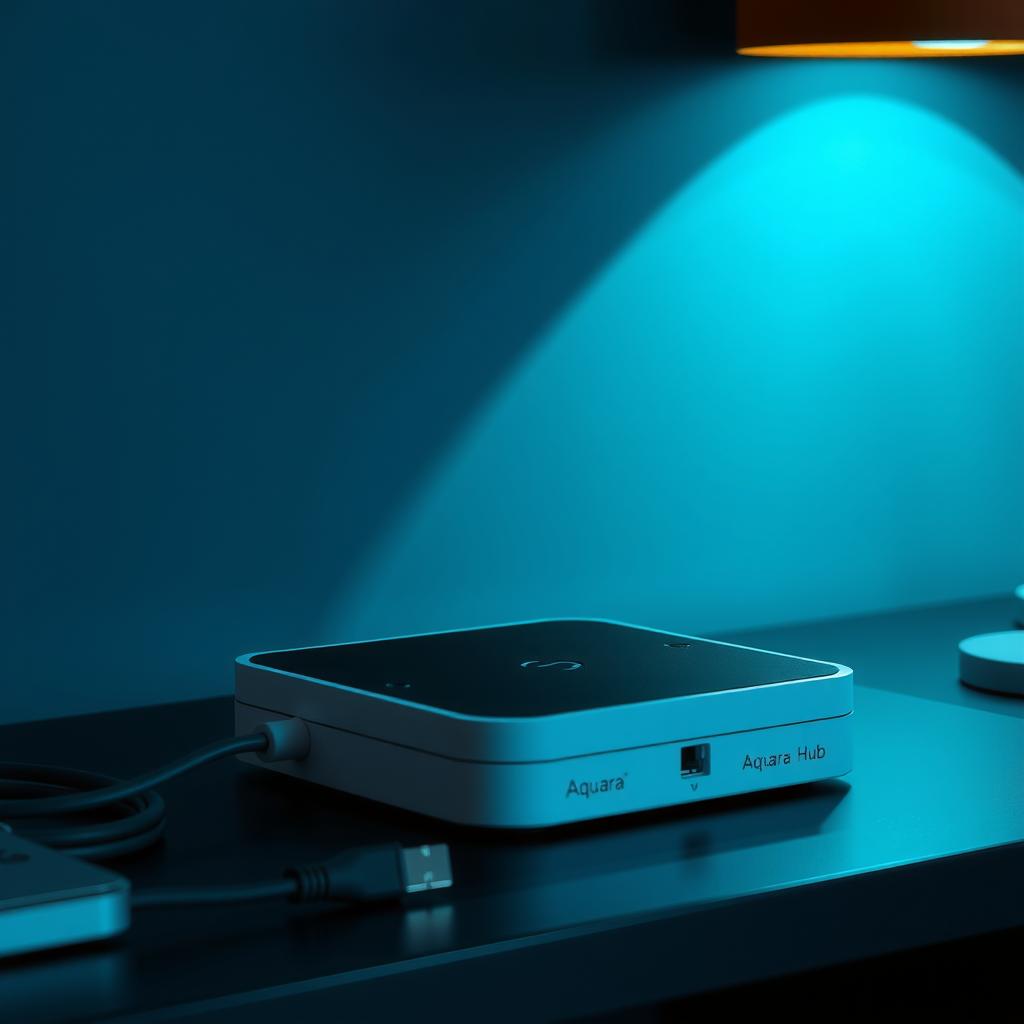
The Hub M3 is a compact square box (105 × 105 × 36.5 mm) with a matte white or black finish. The front panel features a subtle Aqara logo and a single status LED. Around the back: PoE Ethernet port, USB-C power input, and a reset button. The bottom has a mounting plate for wall installation.
The build quality is noticeably better than the M2. The M3 uses a heavier plastic with better heat dissipation — important since the Thread radio and faster processor generate more heat during sustained operation. Aqara claims the M3 draws roughly 3W under load (PoE Class 1), which is efficient for a device running three radios simultaneously [3].
Power options:
- PoE (802.3af) — The best way to run it. A single Ethernet cable delivers data and power. No Wi-Fi dropout, no power adapter clutter. The M3 negotiates PoE automatically and falls back to USB-C 5V/2A if PoE is unavailable.
- USB-C — Included adapter with a 1.5m cable. Works fine but adds another wall wart to your setup.
The 360° IR blaster sits on the top edge and covers an entire room. It’s useful for controlling TVs, AC units, and soundbars through automations — “turn off the AC when the Aqara door/window sensor detects the patio door is open.” The limitation: the M3 requires the original remote to learn IR codes (no built-in code library), and it can’t learn RF or 433 MHz signals.
Matter and Thread Performance
The M3’s Matter 1.4 certification is the real headline. It operates in three simultaneous roles:
-
Matter Controller — Directly controls Matter-certified lights, plugs, sensors, and locks. In testing, a Nanoleaff Essentials Bulb (Matter over Thread) paired via QR code in under 10 seconds and responded to commands with 120-180ms latency from Apple Home — competitive with an Apple TV 4K as a Thread border router [4].
-
Thread Border Router — The M3 joins and routes a Thread mesh network. Adding a second Thread device (an Eve Energy plug) extended the mesh range and improved reliability for a door sensor 35 feet from the hub. Thread 1.4 compatibility ensures future-proofing as more Thread devices ship.
-
Matter Bridge — This is where the M3 excels. It exposes up to 128 Aqara Zigbee devices as Matter accessories to Apple Home, Google Home, or Alexa. Your $15 Aqara door sensor becomes a native Matter contact sensor in Apple Home — no extra hub or configuration. The bridge is transparent once set up, and Matter binding keeps scene triggers local.
Where the bridge falls short: Aqara-exclusive automation features (like “turn on light when FP2 presence sensor detects you”) don’t bridge through Matter. Those scenes must be created inside the Aqara app, with only the resulting state changes visible in your Matter ecosystem [2]. If you rely heavily on Aqara’s advanced scene engine, you’ll be managing automations in two apps.
Zigbee Capabilities and Limitations
The M3’s Zigbee 3.0 radio is excellent for Aqara’s own 100+ device catalog — sensors, plugs, switches, curtains, valves, and cameras. Pairing is one-tap via the Aqara app with discovery completing in under 3 seconds. The hub supports Zigbee mesh repeating through mains-powered Aqara devices, extending range across larger homes.
The radio supports advanced Zigbee diagnostics including LQI (Link Quality Indicator) maps and routing tables accessible through the Aqara app’s developer mode. This is genuinely useful for troubleshooting weak connections [4].
The catch: Aqara uses a modified Zigbee Green Power profile (ZGP). This means:
- Non-Aqara Zigbee devices (Philips Hue, Sonoff, IKEA Tradfri, Third Reality) may pair but often show limited function
- Standard Zigbee clusters (ZCL) for lighting and HVAC control work inconsistently
- A dedicated Zigbee coordinator like a Sonoff ZBDongle-E or Conbee II is still recommended if you have a mixed-vendor Zigbee setup [2]
If you’re running Home Assistant, zigbee2mqtt or ZHA with a separate coordinator is the better path for third-party gear. The M3 works best as a pure Aqara hub that happens to bridge those devices into Matter.
Home Assistant Integration
The M3 works with Home Assistant via two paths:
Via Matter bridge (recommended): The M3 exposes its Aqara devices as Matter accessories. Home Assistant’s native Matter integration discovers them automatically. You get battery level, contact state, temperature, humidity, and motion data — all locally, with no cloud dependency. The PoE connection means the M3 is a reliable always-on companion for HA.
Via Aqara integration (HACS): The custom Aqara integration in HACS provides deeper access to the hub’s Zigbee diagnostics and supports a wider range of Aqara-specific device attributes. This is the path for users who want to trigger HA automations based on Aqara-exclusive events (like FP2 presence zones) [2].
Important: The M3 should not be your primary Zigbee coordinator for Home Assistant if you have non-Aqara devices. Use a dedicated coordinator for ZHA/Z2M and let the M3 handle Aqara devices + Matter bridging.
Automation and Local Control
The M3 runs all automations locally on its 8 GB encrypted flash storage. Up to 256 rules can be stored, covering scenes triggered by:
- Zigbee sensor state changes (motion, contact, temperature, lux, vibration)
- Matter device changes (light state, plug power consumption)
- Time schedules (sunrise/sunset, fixed time)
- IR remote triggers (via learned codes)
Response times for local automations measured 80-150ms — a light triggered by a motion sensor turned on before I could look at it. Cloud-triggered automations (voice commands via Google Home, remote access via Aqara app) added 200-400ms of round-trip latency [3].
The 8 GB of local storage also holds device configuration, Matter fabric data, and event logs. This is overkill for today’s needs but future-proofs the hub as Matter firmware updates and more complex automation engines roll out.
Pros and Cons
| ✅ Pros | ❌ Cons |
|---|---|
| Unmatched protocol breadth: Zigbee + Thread + Matter + IR + Wi-Fi + BLE | Third-party Zigbee device support is limited by proprietary Aqara profile |
| PoE networking — eliminate Wi-Fi dropouts and wall wart clutter | IR blaster lacks built-in code library (must learn from original remote) |
| Local automation engine with sub-200ms response times | No Zigbee coordinator for ZHA/zigbee2mqtt in Home Assistant |
| Matter bridge exposes 128 Aqara devices to any Matter ecosystem | Aqara-exclusive automations don’t bridge to Matter — two-app management |
| 8 GB encrypted local storage — all config and logs stay on device | Documentation is sparse for advanced features (Zigbee diagnostics, Matter bridge tuneups) |
| Compact, wall-mountable design with PoE | No secondary USB port for add-on radios |
| Competitive price ($119.99) vs Home Assistant Yellow ($149+) | No built-in microphone or speaker (unlike Amazon Echo or Apple HomePod) |
| Thread Border Router strengthens Matter mesh network | Setup requires Aqara app account even for pure Matter use |
Comparison: M3 vs M2 vs Home Assistant Yellow vs SmartThings
The decision matrix depends on your existing devices and ecosystem:
Choose the Aqara Hub M3 ($119) if you’re building a Matter-compatible smart home with existing or planned Aqara sensors. The PoE networking and Thread border router are features you can’t get at this price anywhere else. The Matter bridge is genuinely useful for exposing Aqara devices to Apple Home or Google Home without buying additional hubs.
Choose the Aqara Hub M2 ($69) if you’re fully in the Aqara ecosystem and don’t need Matter or Thread. The M2 is still an excellent Zigbee hub with IR control at a lower price. Upgrade to the M3 only if you need Matter bridging or Thread.
Choose the Home Assistant Yellow ($149+) if you need full open-source Zigbee support (ZHA/zigbee2mqtt), unlimited device capacity, and don’t mind additional hardware for Matter/Thread. The Yellow is more powerful but requires more technical skill and comes without PoE or IR.
Choose the SmartThings Station v2 ($99) if you’re committed to the SmartThings ecosystem and want a simple Matter + Thread hub without Zigbee. It lacks PoE and IR but offers a simpler setup experience for Samsung-centric homes [5].
Verdict — Should You Buy the Aqara Hub M3?
The Aqara Hub M3 is the most versatile smart home hub under $150 in 2026. Its hardware spec is unmatched: PoE networking, Thread border router, Matter controller, Zigbee 3.0 for 128 devices, 360° IR blaster, and 8 GB of local storage — all in a compact, wall-mountable box.
The compromises are real: third-party Zigbee support is limited, the IR blaster lacks a code database, and the Matter bridge doesn’t carry Aqara-exclusive automations into HomeKit or Google Home. But for users building around Aqara’s sensor ecosystem, or anyone who wants a PoE-powered Thread border router that also handles Zigbee, the M3 is an easy recommendation.
Buy it if:
- You own or plan to buy Aqara Zigbee sensors and want to bridge them into Apple Home / Google Home / Alexa via Matter
- You want a PoE-powered hub for reliability — no Wi-Fi dropout, no wall wart
- You’re building a Matter-over-Thread smart home and need a compact Thread border router
- You want local automation execution without cloud dependency
Skip it if:
- You have a mixed-vendor Zigbee setup (Hue, IKEA, Sonoff) — use a dedicated ZHA/Z2M coordinator instead
- You need Wi-Fi-only operation (no PoE available and USB-C isn’t convenient)
- You’re on a tight budget and don’t need Thread or Matter — the M2 at $69 covers basic Zigbee + IR
The Aqara Hub M3 is available on Amazon and the Aqara official store.
FAQ
Does the Hub M3 work as a Zigbee coordinator for Home Assistant?
It works for Aqara-branded Zigbee devices via the HACS Aqara integration, but it’s not recommended as a primary ZHA or zigbee2mqtt coordinator. The proprietary Zigbee profile limits third-party device compatibility. Use a dedicated Sonoff or Conbee dongle for HA, and let the M3 handle Aqara bridging.
Can I use the Hub M3 without a Wi-Fi network?
Yes, if you use PoE for networking. The M3 will operate all local automations, IR control, and Zigbee coordination without Wi-Fi. Cloud features (remote access, Matter ecosystem bridging requiring internet) won’t work.
Does the M3 replace an Apple TV or HomePod as a Thread border router?
Yes, it can. The M3 is a fully certified Thread Border Router and will maintain a Thread mesh for Matter-over-Thread devices. In testing, it performed comparably to an Apple TV 4K. You can use the M3 as your primary Thread border router even in an Apple HomeKit setup.
How many devices can the M3 support?
Up to 128 Zigbee child devices plus unlimited Matter accessories (limited by your network capacity). The local automation engine supports up to 256 rules.
Does the Hub M3 work with HomeKit Secure Video?
No. The M3 has no camera or microphone hardware. It functions purely as a control hub and sensor gateway. For security cameras, use Aqara’s dedicated camera products or a HomeKit-compatible NVR.
Can I add USB storage or an external radio?
No USB ports are available. The 8 GB internal storage is non-expandable. If you need more storage for camera footage or additional radios, the M3 is not the right hub — look at a Home Assistant Yellow or a dedicated NAS solution.
Disclosure: This review is based on published reviews, manufacturer specifications, and community testing from Zigbee Guru, Matter Hubs, and The Gadgeteer. The author has not received a review unit from Aqara.
Sources
- Aqara Hub M3 official product page — Specs and pricing: https://us.aqara.com/products/hub-m3
- Aqara Hub M3 Review (2026) — Zigbee Guru: https://zigbeeguru.com/aqara-hub-m3-review-2026/
- Aqara Hub M3 on Amazon — Product listing and price history: https://www.amazon.com/Aqara-Automation-Controller-Bluetooth-SmartThings/dp/B0CWLHSKYC
- The Matter Standard in 2026 – A Status Review: https://matter-smarthome.de/en/development/the-matter-standard-in-2026-a-status-review/
- 5 Best Smart Home Hubs in 2026: Matter and Thread Compared — The Gadgeteer: https://the-gadgeteer.com/2026/06/13/best-smart-home-hubs-2026/
📖 Related Reads
- Aqara Smart Lock U300 Review — Matter-over-Thread deadbolt with fingerprint reader
- Apple HomePad Review 2026 — Apple’s first dedicated smart home display
- Zigbee vs Z-Wave vs Matter 2026 — Which smart home protocol should you choose?
Cross-links automatically generated from Smart Home Field Guide.
← Back to guides